
Mix Modules Across Languages
Goal
Augment your .NET price service with Python currency converter and see how easily you can pick any module regardless of technology and use it as a direct dependency.
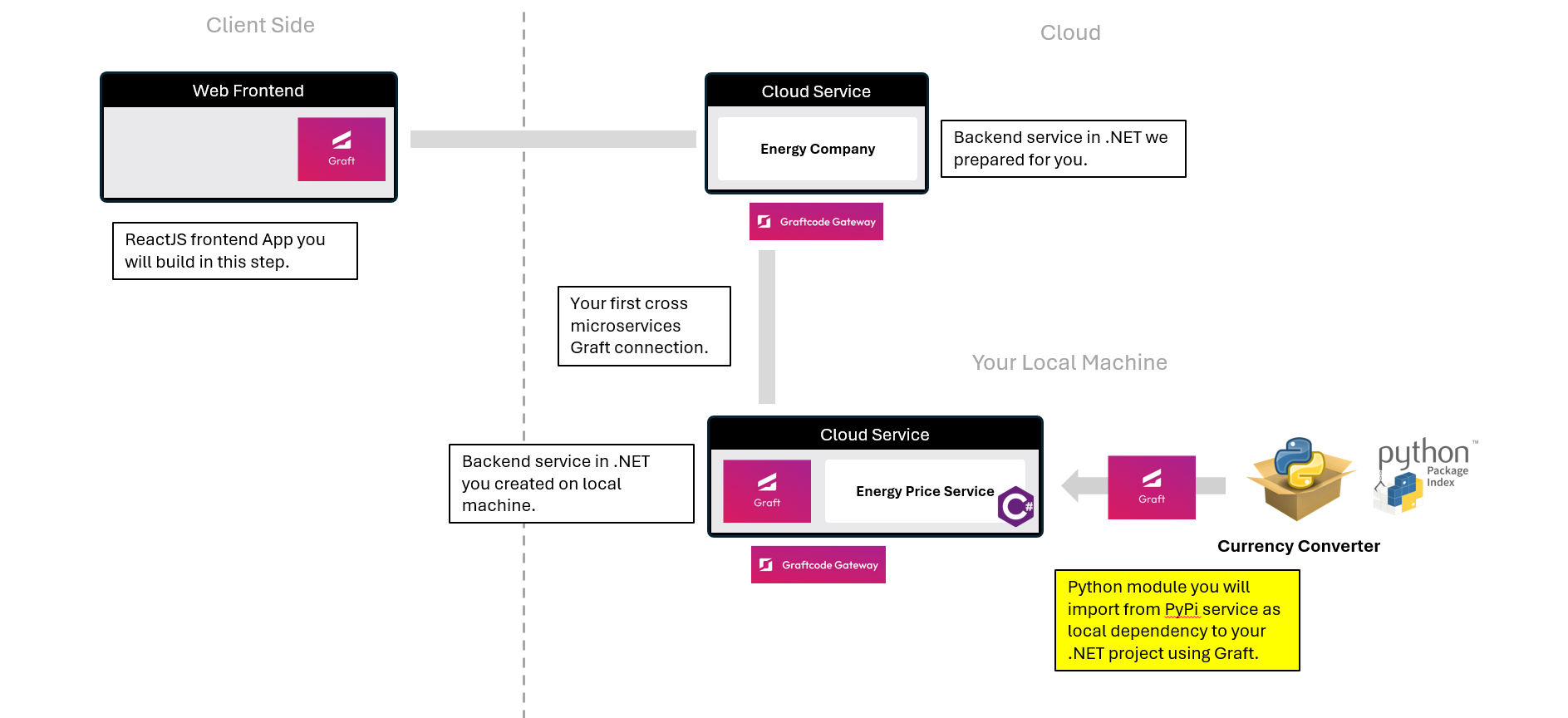
What You'll See
- Add a Python currency converter package directly into your .NET app as regular dotnet dependency using NuGet.
- Call it like a local C# method in one line.
Step 1. Add the Python currency converter package from PyPI repository using NuGet
From your MyEnergyService project, run the following command:
dotnet add package -s https://grft.dev graft.pypi.sdncenter-currency-converter
This generates a typed Graft for the Python currency converter module - ready to call from .NET. This is regular public Python module published on PyPi repository. Thanks to Graftcode you can use any module from any technology by just requesting them through Graftcode registry and providing "graft.<repository>" prefix.
Step 2. Add usage of Python logic in your .NET service method that calculates current cost:
Update your code to allow providing currency to be used for calculating result. First add using to new graft:
using graft.pypi.currency_converter.converter;
Next, let's add configuration for Python Currency Converter module. Let's place it in the EnergyPriceCalculator static constructor.
Due to a temporary bug currently being fixed, we first check whether the configuration is provided via an environment variable. If it is not set, we fall back to the default in-memory communication and pass an extended configuration string:
var config = string.IsNullOrEmpty(Environment.GetEnvironmentVariable("GRAFT_CONFIG")) ?
    "licenseKey=f7GZ-De6k-Mx4p-t7FN-q5DC\nname=graft.pypi.sdncenter_currency_converter;host=inMemory;modules=currency_converter;runtime=python" :
    Environment.GetEnvironmentVariable("GRAFT_CONFIG");
graft.pypi.sdncenter_currency_converter.GraftConfig.SetConfig(config);
And now, let's add a new method GetMyCurrentCost() that additionally takes a currency argument. Remember to Save your file:
    public static double GetMyCurrentCost(int previousReadingKwh, int currentReadingKwh, string currency)
    {
        var consumption = MeterLogic.NetConsumptionKWh(previousReadingKwh, currentReadingKwh);

        var convertedValue = SimpleCurrencyConverter.convert(consumption * (float)GetPrice(), "USD", currency);
        return convertedValue;
    }
Now your service calculates the price and converts the result to the desired currency using the Python module. Because this change is backward-compatible and does not break existing method overloads, previously generated Grafts will continue to work even if they are not updated.
Step 3. Build, configure and test your enhanced service
First, build and publish your project with these commands:
dotnet build .\\MyEnergyService.csproj
dotnet publish .\\MyEnergyService.csproj
Now rebuild and run your Docker container:
docker stop graftcode_demo
docker rm graftcode_demo

docker build --no-cache --pull -t myenergyservice:test .
docker run -d -p 80:80 -p 81:81 --name graftcode_demo myenergyservice:test
Now you can visit the GraftVision portal at http://localhost:81/GV
GetEnergyPrice.GetMyCurrentCost() is automatically extended with new parameter. You can Try it Out live passing "EUR" as target currency.
Step 4. Compare: old-way vs. Graftcode way
Old Way (without Graftcode)
- It was impossible to use Python modules directly in .NET
- you had either to use .NET counterpart of required module
- or use Python over REST and host it as separate service
- or use complex low-level interop libraries
New Way (with Graftcode)
- Install the package from any technology using regular package manager command.
- Call methods like local C# in one line.
Note
⚡ Result: You've added a Python currency converter module directly to your .NET service with just one command and a few lines of code. The Python module is called directly from .NET and runs in the same process - like a local C# method. You can do the same with any other language or technology thanks to Graftcode's multi-runtime support. Imagine the possibilities of being able to use any existing package from any technology regardless of technology constraints.